Posts

Build Teacher/Student Relationships with "along"
Image
  Build Teacher/Student Relationships with "along" Welcome Back Everyone!  As we prepare our classrooms and curriculum for the coming year, let's not forget about preparing to build those strong Teacher/Student relationships as well.  "Strong Relationships are Central to the Learning Process".  Watch this 4 minute video on the importance of building strong relationships.   Along is named a 2022 best tool for back to school by Common Sense Education Students feel more motivated and engaged when they have strong connections with their teachers.  Along helps build these relationships using a variety of researched questions organized in a curated library.   It can be a challenge to find the time to connect with each student during the day.  Along helps that process "along" 😀 Here are just some brief key features of "along" Free – funded by the Chan Zuckerberg Initiative in partnership with Gradient Learning Nonprofit. Reflection questions ...
APRIL

Image
Time to Test Prep for CAASPP! Hello everyone.  This Digital Cafe is going to focus on CAASPP testing.  It's been quite a while since any of us have done it so hopefully these resources will help. This will also be helpful for those who have never administered the test. The two most important things you can do right now to prepare are: Make sure you are able to log in to CAASPP and have signed the affidavit Go through a Practice or Training Test with your students USING THEIR SSIDs Practice tests are grade specific and are about 25 questions long Training Tests are for grade bands (3-5, 6-8, High School) and are only about 7-8 questions long These two steps will make testing days go much smoother.   Having the students use their SSIDs to practice allows the Test Administrator to make sure any accommodations or supports are in place for those who need them, and it verifies that the students' SSID numbers are working properly.  ( Check for proper accommodations by...

March

Image
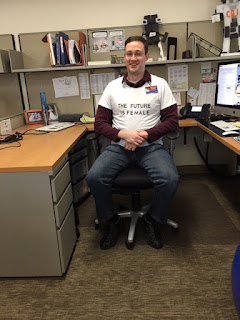
Did you know that March is Women's History Month? Our own Andrew Hyland is ready to support!  👏👏👏 Showcase Student Learning Believe it or not, we are in the homestretch of the 2021-22 School Year and what a year it has been!  This month, I would love to get students creating and showcasing their work and activities for the year through Google Sites.   Google Sites is a WYSIWYG (what you see is what you get) website builder that students and teachers can use for a wide variety of purposes.  It's so much easier than you might think and integrates with everything in Google Drive.  Here is a brief and incomplete list of possibilities.  The options truly are endless. Student Portfolio - Showcase learning throughout the year.  Sample Portfolio shared with permission here  and here. Digital Class Yearbook Class Website for parents - Our own Lisa Allan-Holdener has created a fabulous tutorial on how to do this here . Create a Class Study Guide wit...

Black History Month

Image
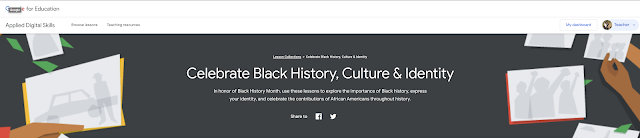
 Black History Month Project Ideas If you haven't had the chance to explore and utilize Google's Applied Digital Skills program, this is the perfect chance to do so.  They have put together an amazing resource .  Students will choose and research from a variety of suggested topics or choose a topic of their own.  They will then create a presentation using the platform of their choice.  They can use Google Slides, Google Sites, Google Docs or Google Drawings. My personal preference would be Google Sites, as this will allow them to use multiple applications and incorporate them into their very own website.  This could be either an individual assignment or a group project. Google even provides a document outline that accompanies each suggested topic such as this example here .  In the outline, they provide suggested links and sources that your student can choose to use as well. Here is the introductory video explaining how the project will work.  You...

December

Image
 Computer Science in Education Week: December 6-12 Computer Science in Education week is here again. This is the week to celebrate Computer Science topics, such as coding. COMPUTER SCIENCE EDUCATION WEEK  IS AN ANNUAL CALL TO ACTION TO INSPIRE K-12 STUDENTS TO LEARN COMPUTER SCIENCE, ADVOCATE FOR EQUITY, AND CELEBRATE THE CONTRIBUTIONS OF STUDENTS, TEACHERS, AND PARTNERS TO THE FIELD.   https://www.csedweek.org/ Even the littlest students can begin to explore the concept of coding. Kodable is a fantastic site for primary grade coding activities, which you can easily do by following this link https://www.kodable.com/hour-of-code . Code.org is another major contributor to the Hour of Code celebration for Computer Science in Education Week.  https://hourofcode.com/us/learn  Use this link to find activities for your grade level or content area. The activity filter will help you discover the perfect Hour of Code activity for your classroom.    

November Blog Thankfulness

Image
Get Googled Up! Do you sometimes find yourself unsure of how to do certain Googly Things?  Here is an amazing checklist from Google that has short tutorial video clips on a ton of Googly tasks.   Just click on the image below to access the document.  This is also a fabulous tool to familiarize yourself with Google Tools if you are planning on taking a Google Certification Exam soon. It's a great time to take the Level One Google Certification Exam.  Google recently changed the exam to only 35 multiple choice questions rather than the additional scenario based questions.  Remember, getting the Level One Certification is worth 1 credit towards your Advancement on the Salary Scale as well!  Seesaw Teachers have a FREE Trial Seesaw Lessons to the rescue. We have a 60 day FREE trial for these pre-made, professional, standards-based lessons. There is a new tab in your Seesaw Activity Library. Click and search for content area lessons and even SEL lessons to...

Let's Blog About it!

Image
Back to school in so many ways... Help your students Research like a Boss! Research projects can be extremely frustrating!  Students have difficulties finding reliable sources and teachers often have a difficult time teaching students proper research skills.  Use this Slide Presentation to assist your students in effectively utilizing multiple Google Search Tools, including Explore, Scholar, YouTube filters, images, citations and more! Something Googly for Everyone! Google for Education has started a short series of 30 minutes Google Tips and Tricks.  These sessions are usually held during school hours so they are not available to most teachers to view live.  The sessions are super helpful!   I'm including the page that holds the Recordings so you can view on your own time if you would like.  Some really great tools on display in these sessions . Here are just a few of the topics so far: Google Classroom Glowup Chrome Sweet Chrome - What's New? Get St...