Posts

January Tech Tips

Image
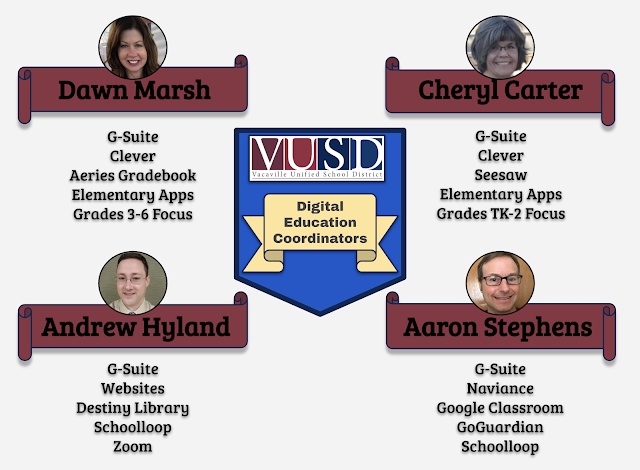
Happiest of New Year to you all! We hope that this blog finds you well rested and ready for great things to come. The New Year brings the opportunity to continue to grow your education technology skills. We have it on good authority that more Tech Fest opportunities are coming our way. Stay tuned for more details to come! We will continue to provide technology integration support to you and your students. As your Digital Education Coordinators, we will be offering class lessons, beginning in January, as well as continued opportunities for tech coaching during our virtual office hours. We are here to support and guide your technology use in the classroom.  Dynamite Dawn Marsh Google Slides is such an amazing tool for teaching and learning.  I'd like to share a couple tips to make Google Slides even more useful for you.  Have you ever just wanted to share a clip of a video with your students, but thought the process of getting just a clip is too much work?  Google Slid...

December Tech Tips

Image
December Tech Tips Dawn's Dope Digital Diary πŸ“™ eBinders and Student Portfolios Both of these projects can easily be created using Google Sites. They are a wonderful tool to keep your students organized, engaged, and creative.  With learning happening online, providing students with a digital option to store and curate their work promotes creativity and an authentic method of sharing their content. Our own Kevin English, from WCW, has been using Google Sites as a platform for student portfolios for a few years now. Here is a student example shared with permission. eBinders are meant to be accessed and used regularly throughout your course.  Student Portfolios, are meant as a platform to showcase your best work. I love this teacher's video on how to create and use eBinders in the classroom.  He walks you through the entire process and how he uses these binders in the classroom.  Check out his website to see specific examples of student eBinders. Cheryl's Sees...

November Tech Tips

Image
Dawn's Dope Digital Diary Leverage your Tech Savvy Students to create tutorials for your class! I recently had a Fourth Grade Teacher share with me a Screencastify  πŸŽ₯ video that one of her students made to help his classmates navigate their online Math Curriculum.  This student saw a need and stepped right up to assist his peers. Watch the video below - I love this kid! Your students can use Screencastify for so many purposes.  Students experiencing technical trouble but you aren't able to see what is happening in order to help them?  Have them make a Screencast of what is happening to share with you. Make a Screencast showing their work on a Science project πŸ“šRead a book out loud and give a book review using Screencastify Narrate a Google Slide presentation they have created Cheryl's Seesaw Savviness  🐴 Do you want to take your Seesaw skills to the next level? My go-to person for quick lessons that do just this is Kris Szajner. Kris is a tech savvy teach...