Posts

October AI Tool - Questionwell

Image
Creating quizzes or checks for understanding can be quite time-consuming. Here is another AI tool to assist you with this task. With Questionwell.org you just input some reading text or URL (even a YouTube URL - it will transcribe it to text) for an article or story, and the AI will write Essential Questions, Learning Objectives, and aligned multiple choice questions, which you can then export to your favorite tool such as: Kahoot Quizizz Google Forms Quizlet Blooket Docs The free version will allow up to 1000 words to be pasted, so it is best for shorter passages or videos. The program is free with the following features.  There is an upgrade available with some additional features as well. Here is an excellent video overview of how to use the program.


AI Resources for Teachers

Image
  AI Resources for Teachers Over the summer a group of VUSD educators met to explore and experiment with some of the AI programs for teachers.  There are so many new products bursting onto the scene, that it's hard to keep up with it all. We created a slide deck containing some of our favorites.  Each slide briefly explains what the AI tool can do, along with a tutorial video on how to use it. We also created a Padlet with multiple AI uses and resources.  Links below. AI for Teachers SlideDeck AI for Teachers Padlet Please take a look and check out ALL the possibilities.  Below are just a few of the tasks an AI tool can do for you. Create Lesson plans Create rubrics Re-level text Math Spiral Review generator Math Story Word Problems Quiz generators Syllabus generators Sub plans Newsletters IEP goals   We will highlight a new program each month and dive deeper into the features and tools.  Have fun exploring.  I promise you will be amazed!

Using Generative AI as Your TA

Image
  Using Generative AI as Your TA By Robby Tabor*       Hey there, fellow VUSD teachers! I wanted to share with you all how I've been using generative AI (specifically ChatGPT) to make my life as a teacher a little easier.  📝 Multiple Choice Quizzes : First off, creating multiple-choice quizzes can be a real pain sometimes, right? That's where ChatGPT comes in! With just a few clicks, I can generate a ton of questions to test my students' understanding of the material. It's a lifesaver! Example : “I'm going to give you a question and an answer. Can you turn it into a multiple-choice question, make each answer the same length, and put an asterisk next to the correct answer? Question: “__________”. Answer: __________” “I'm going to give you some texts. I want you to read them and come up with multiple-choice questions and answers, and indicate which answer is correct with an asterisk. Make each answer the same length. The overall goal of the questions s...

ChatGPT and other uses of Artificial Intelligence in Education

Image
 ChatGPT / AI in Education The above image was created with an AI Image generator with the following input.   "an image about artificial intelligence in education with a renaissance masters art style" No more searching Google for an image that fits your subject matter! Just create it! By now,  you have all probably heard about the latest artificial intelligence program ChatGPT (Generative Pre-training Transformer).   See this video explaining what AI is and how it can  be harnessed for learning. Perhaps you have only heard of it as a method for students to automatically generate essays and research papers that are not of their own creation.  Often, the output results from ChatGPT are undetectable by the most common plagiarism software such as Turnitin and Google Classroom.  For this reason, many teachers are quick to dismiss it as nothing but a cheater's tool.  However, let's take a look at some of the beneficial uses of such programs be...

December is Hour of Code Month!

Image
 01001000 01000001 0101000 01010000 01011001 00100000 01001000 01001111 01001100 01001001 01000100 01000001 01011001 01010011 Computer Binary Code for... H A P P Y H O L I D A Y S (A fun little text-to-binary translator here ) Celebrate Jerry Lawson and Create Your Own Video Games This fun Google doodle celebrates Gerald "Jerry" Lawson one of the first African American video game programmers. It allows you to make your own 8-bit video game. Super cute and fun. https://www.google.com/doodles/gerald-jerry-lawsons-82nd-birthday   C-STEM Hour of Robots/Hour of Code As a part of the nation wide Hour of Code the UC Davis C-STEM program has created an Hour of Robots and their own Hour of Code free curriculum using Roboblockly. This is the same drag and drop programming platform used to program the Linkbot robots that can be brought to your room by the VUSD Science and C-STEM Coordinator, Aaron Kelly Stephens. Click here for the Hour of Robots/Hour of Code page. Note: Scroll a...

Election Time in America with Google Voyager

Image
 Election Time in America with Google Voyager Google's Voyager ( a part of Google Earth) uses the power of Google Earth along with Google Education Content Creators to bring many difficult concepts to life.  Check out this presentation on Congressional Redistricting in the United States .  We've all heard about Gerrymandering but what does it really mean?  These lessons come with additional resources such as videos and websites.   Here's an example of an instructional video from the Washington Post that is embedded in the lesson.  Gerrymandering Explained ?  They have also included a cool little time lapse case study of how representation has changed in one state over the years.  The lessons are short, but packed with useful information powered by the latest technology. To browse their library of curated lessons  Go to Google Earth and click on the ship steering wheel icon.    Click on the Education Tab Scroll down and explore ...

EdPuzzle

Image
 EdPuzzle has added some cool new added features!

Build Teacher/Student Relationships with "along"

Image
  Build Teacher/Student Relationships with "along" Welcome Back Everyone!  As we prepare our classrooms and curriculum for the coming year, let's not forget about preparing to build those strong Teacher/Student relationships as well.  "Strong Relationships are Central to the Learning Process".  Watch this 4 minute video on the importance of building strong relationships.   Along is named a 2022 best tool for back to school by Common Sense Education Students feel more motivated and engaged when they have strong connections with their teachers.  Along helps build these relationships using a variety of researched questions organized in a curated library.   It can be a challenge to find the time to connect with each student during the day.  Along helps that process "along" 😀 Here are just some brief key features of "along" Free – funded by the Chan Zuckerberg Initiative in partnership with Gradient Learning Nonprofit. Reflection questions ...

APRIL

Image
Time to Test Prep for CAASPP! Hello everyone.  This Digital Cafe is going to focus on CAASPP testing.  It's been quite a while since any of us have done it so hopefully these resources will help. This will also be helpful for those who have never administered the test. The two most important things you can do right now to prepare are: Make sure you are able to log in to CAASPP and have signed the affidavit Go through a Practice or Training Test with your students USING THEIR SSIDs Practice tests are grade specific and are about 25 questions long Training Tests are for grade bands (3-5, 6-8, High School) and are only about 7-8 questions long These two steps will make testing days go much smoother.   Having the students use their SSIDs to practice allows the Test Administrator to make sure any accommodations or supports are in place for those who need them, and it verifies that the students' SSID numbers are working properly.  ( Check for proper accommodations by...

March

Image
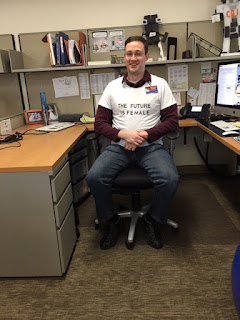
Did you know that March is Women's History Month? Our own Andrew Hyland is ready to support!  👏👏👏 Showcase Student Learning Believe it or not, we are in the homestretch of the 2021-22 School Year and what a year it has been!  This month, I would love to get students creating and showcasing their work and activities for the year through Google Sites.   Google Sites is a WYSIWYG (what you see is what you get) website builder that students and teachers can use for a wide variety of purposes.  It's so much easier than you might think and integrates with everything in Google Drive.  Here is a brief and incomplete list of possibilities.  The options truly are endless. Student Portfolio - Showcase learning throughout the year.  Sample Portfolio shared with permission here  and here. Digital Class Yearbook Class Website for parents - Our own Lisa Allan-Holdener has created a fabulous tutorial on how to do this here . Create a Class Study Guide wit...

Black History Month

Image
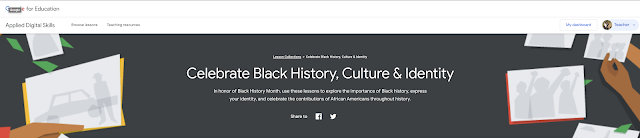
 Black History Month Project Ideas If you haven't had the chance to explore and utilize Google's Applied Digital Skills program, this is the perfect chance to do so.  They have put together an amazing resource .  Students will choose and research from a variety of suggested topics or choose a topic of their own.  They will then create a presentation using the platform of their choice.  They can use Google Slides, Google Sites, Google Docs or Google Drawings. My personal preference would be Google Sites, as this will allow them to use multiple applications and incorporate them into their very own website.  This could be either an individual assignment or a group project. Google even provides a document outline that accompanies each suggested topic such as this example here .  In the outline, they provide suggested links and sources that your student can choose to use as well. Here is the introductory video explaining how the project will work.  You...